Router boxes now advertise speeds with four or five digits, and the biggest numbers belong to the newest standard. It is natural to assume that a faster label means a faster home network. In practice a Wi-Fi connection is a chain with several links, and the router's standard is only one of them. A brilliant router talking to an older phone, over a modest broadband plan, delivers the speed of the weakest link.
This guide sets out what Wi-Fi 6 and Wi-Fi 7 actually add, in plain terms, and then asks the buyer's question: for an ordinary home, when does the newer standard change what you experience, and when is the money better spent on placement, a mesh system or a faster internet plan? It also explains why the headline speeds are theoretical maxima rather than expectations.
The names and the numbers behind them
Wi-Fi 6 is the marketing name for the IEEE 802.11ax standard, and Wi-Fi 7 for 802.11be. Wi-Fi 6E is Wi-Fi 6 extended to the 6 GHz radio band, which older standards cannot use. The simple names replaced the older letters so that shoppers could tell generations apart, but the names say nothing about which features a given product actually includes, since some features are optional.
Headline speeds on router boxes are the sum of the theoretical maximum rates of every radio inside the router, often adding the 2.4 GHz, 5 GHz and 6 GHz bands together. No single device can use that sum, because a phone connects to one band at a time. A realistic expectation is a small fraction of the box number for one device, and the figure depends on distance, walls, interference and the device's own radio.
That is why the useful comparison is not box number against box number. It is the set of capabilities each standard adds, and whether your devices can use them. A feature that needs support on both ends does nothing if only the router has it, which is the situation for most households that buy a router first and replace phones and laptops over several years.
What Wi-Fi 6 added
Wi-Fi 6 was designed less for peak speed than for crowded networks. Its main feature is OFDMA, orthogonal frequency division multiple access, which splits a channel into smaller sub-channels so that the router can send small amounts of data to several devices in the same transmission. Earlier Wi-Fi gave each device a turn on the whole channel, which wastes time when the data is small, as it is for smart plugs and sensors.
It also improved multi-user MIMO, allowing the router to talk to several devices at once in both directions, and added target wake time, a scheduling feature that lets battery devices sleep longer between check-ins. Together these help a home with dozens of connected items: phones, speakers, cameras, thermostats and streaming boxes. The effect is more about consistency and latency under load than about a single large download.
Wi-Fi 6 also raised the modulation density to 1024-QAM, which packs more bits per signal at short range, and brought better handling of dense environments such as apartment blocks. Wi-Fi 6E then added the 6 GHz band, a wide, uncrowded stretch of spectrum that only Wi-Fi 6E and newer devices can use, which matters because the older 2.4 GHz and 5 GHz bands are often congested by neighbours.
What Wi-Fi 7 adds
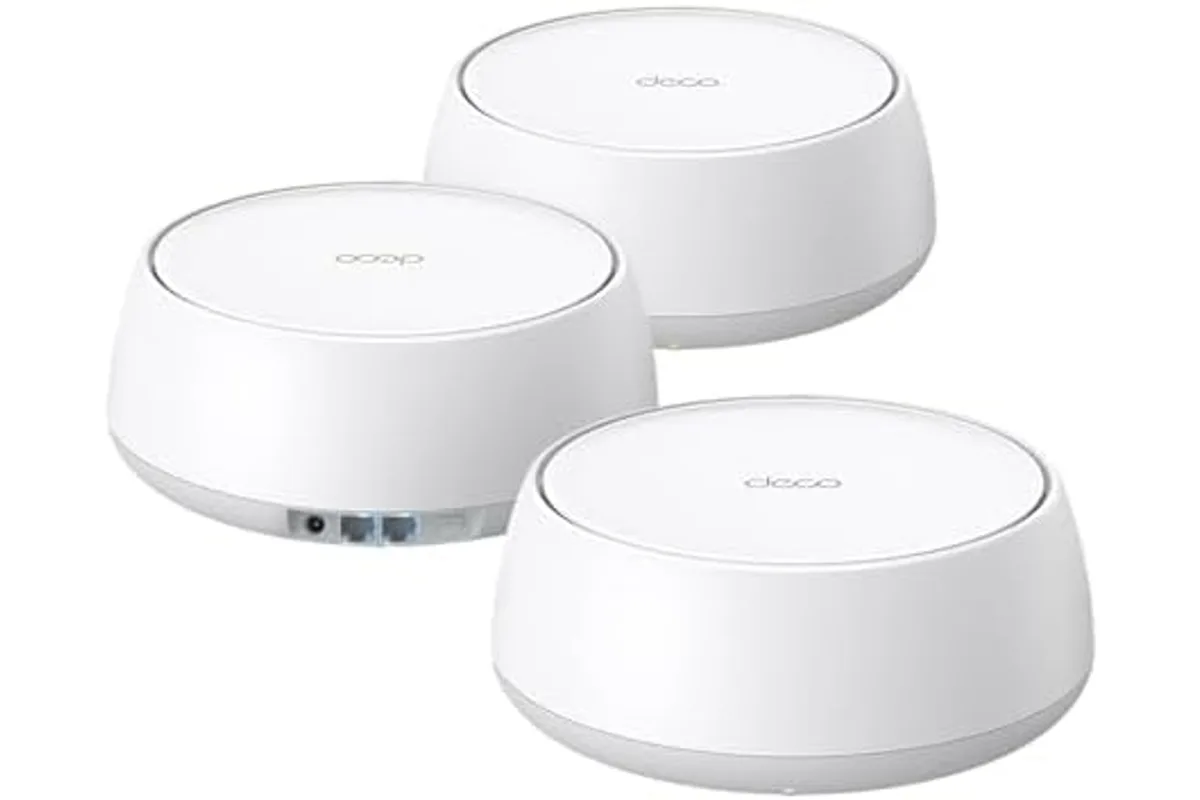
Wi-Fi 7 builds on the same foundations and adds three headline changes. First, channels can be 320 MHz wide in the 6 GHz band, double the 160 MHz maximum of Wi-Fi 6. A wider channel is a wider pipe, so peak throughput rises, provided the spectrum is clear and the device supports it. Second, modulation rises to 4096-QAM, about a 20 percent increase in raw rate at very short range.
Third, and most interesting for everyday use, is multi-link operation, or MLO. A Wi-Fi 7 device can use more than one band at the same time, for example 5 GHz and 6 GHz together, and the router can send traffic over whichever link is better at that moment. This lowers latency and smooths out drops when one band is congested, and it is the feature most likely to be felt in video calls and games.
Wi-Fi 7 also improves how the router assigns sub-channels, with a feature often called multi-resource unit, which wastes less of a channel when several devices share it. Some of these features are optional, and early Wi-Fi 7 routers vary in how many they include. A product that says Wi-Fi 7 may not support the full 320 MHz channel or full MLO, so the specification sheet matters more than the label.
| Feature | Wi-Fi 6 / 6E | Wi-Fi 7 |
|---|---|---|
| Standard | 802.11ax | 802.11be |
| Bands | 2.4 and 5 GHz, plus 6 GHz on 6E | 2.4, 5 and 6 GHz |
| Widest channel | 160 MHz | 320 MHz in 6 GHz |
| Modulation | 1024-QAM | 4096-QAM |
| Multiple bands at once | No, one band per connection | Yes, with multi-link operation |
| Main benefit | Handling many devices efficiently | Higher peak speed and lower latency |
Device support decides the benefit
The router can be Wi-Fi 7 and still deliver a Wi-Fi 5 experience to a Wi-Fi 5 phone. Each connection runs at the best standard that both ends share. A router upgrade therefore benefits only the devices that support the new features, and in the first years of any standard that is a minority of what a home owns. Check your own phones, laptops and tablets for the Wi-Fi generation in their specifications.
There is a quieter benefit even for older devices. A newer router often has a faster processor, more memory and better antennas, and can handle more simultaneous connections without slowing. Those gains appear for old devices too, but they are modest and are not guaranteed by the standard. A good Wi-Fi 6 router can match a weak Wi-Fi 7 one for older clients.
The other limit is the device's own radio. Many phones and laptops have a single or two antenna design, which caps the speed they can reach regardless of the router. A phone that supports Wi-Fi 7 may still use a narrower channel than the maximum to save battery, so the top rates on the box are rarely seen on a handset.
When your internet plan is the real bottleneck
If your broadband plan delivers a few hundred megabits per second, an older Wi-Fi 5 or Wi-Fi 6 router will already move that much to a nearby device. A faster Wi-Fi standard cannot make the internet connection faster. It only helps when traffic between devices on your own network, such as a file copy to a network drive or a game streamed from a PC, exceeds what the older standard could manage.
The honest test is simple. Run a wired speed test from a laptop plugged into the router, then a Wi-Fi test from the room where you have problems. If the wired speed is already close to your plan limit, the plan is the ceiling. If Wi-Fi is far below the wired result, the issue is signal quality and placement, which a newer standard may not fix and a mesh system or access point probably will.
Another overlooked limit is the wired port on the router. Many routers have a single gigabit WAN port, which caps the internet speed at about one gigabit per second regardless of Wi-Fi. Faster plans need a multi-gigabit port, and not every Wi-Fi 7 router has one. Check the port speeds and the modem, since they limit the whole chain.
Mesh versus a single router
For many homes the biggest improvement is not the standard but the coverage. Wi-Fi signal drops with distance and with every wall, especially dense ones such as brick, concrete and tile. A single router in the corner of a large or multi-storey home will leave weak spots that no standard fixes, and the 6 GHz band, though fast, is the one that penetrates walls least.
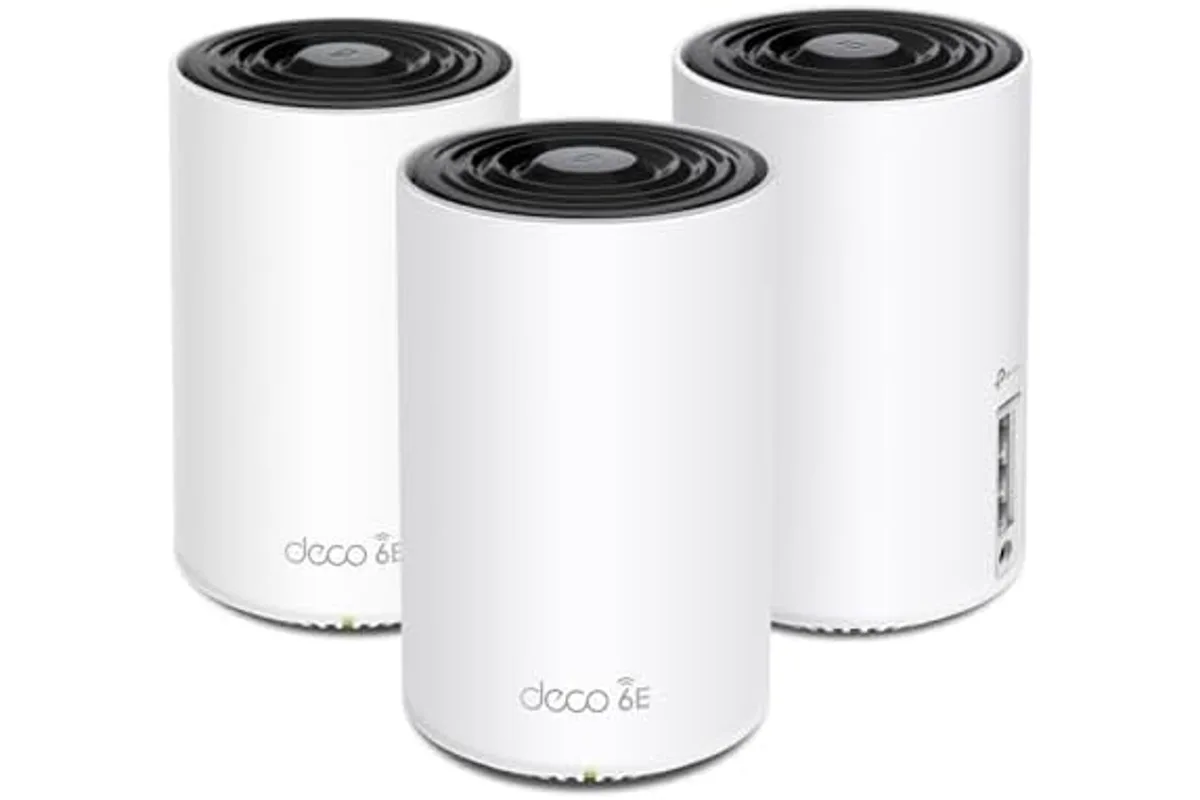
A mesh system places several nodes around the home and links them together, ideally with an Ethernet cable between nodes, which keeps the full speed on the Wi-Fi side. Without wired backhaul, nodes share a radio to talk to each other and to your devices, and some of the speed is lost. The trade offs are covered in our comparison of mesh Wi-Fi and range extenders.
A small flat or a compact house may be served well by one good router placed centrally and high up. Larger homes benefit from two or three nodes. Before buying anything, try moving the router to a central, open position away from metal objects and microwaves. That costs nothing and sometimes solves what looked like a standards problem.
Placement details are worth a few more words, because they decide more real world speed than the standard does. Wi-Fi radio waves lose strength quickly through water, which includes aquariums, radiators filled with water and, unhelpfully, human bodies. A router tucked inside a cabinet or behind a television loses a noticeable share of its range. Raise it to shoulder height or higher, keep its antennas upright if they are adjustable, and keep it a metre or so from large metal objects.
Channel choice matters too, mainly on the crowded bands. In an apartment block, dozens of networks may share the same 2.4 GHz channels, and automatic channel selection on a router does not always pick well. Most routers let you check which channels neighbours use. On 5 GHz, a narrower channel is often more stable than the widest one when interference is high, which is a case where a lower headline speed gives a better everyday result.
Finally, remember that a newer standard does not remove the need for good habits with passwords and updates. Use WPA3 where all your devices support it, or WPA2 with a long passphrase where they do not, and turn on automatic firmware updates if the router offers them. A fast network that nobody maintains is a larger risk than a slower one that is kept current.
Smart devices and older gadgets
Most smart plugs, bulbs and sensors use 2.4 GHz Wi-Fi only, because it has longer range and low power needs. They do not benefit from Wi-Fi 7, and a very old device can in rare cases cause trouble on a new router if it does not handle modern security modes. Keep the 2.4 GHz band enabled, and avoid merging all bands into one name if a device struggles to join.
Counting devices matters more than their speed. A home with sixty connected items needs a router that handles many simultaneous clients, and this is where Wi-Fi 6 features such as OFDMA already help. Some low cost routers have limits on the number of clients, and a poor one can slow down or drop connections as the number rises. The broader picture of how these devices connect is explained in smart home protocols explained.
For latency sensitive tasks, such as competitive gaming or cloud streaming to a monitor with a high refresh rate, a wired connection is still the most reliable choice. Wi-Fi 7 narrows the gap but does not eliminate it, and the guide to monitor refresh rate shows why a stable low latency link matters.
Who should upgrade and who should wait
If your current router is more than five or six years old, especially a Wi-Fi 5 model, an upgrade to Wi-Fi 6 or 6E is likely to be a sensible improvement in capacity and reliability, and costs less than Wi-Fi 7. If you already own several Wi-Fi 7 devices, such as a recent flagship phone and a laptop, and you have a fast plan, Wi-Fi 7 starts to make sense.
If your devices are mostly Wi-Fi 5 or Wi-Fi 6, buying Wi-Fi 7 mainly buys future proofing. That has some value, since routers last years and device support grows, but you pay for it today. Prices fall over time, and waiting often brings a better, cheaper model with more complete features. There is no urgency unless your current network is failing you.
Security is a separate reason to replace an old router. Routers that no longer receive firmware updates become a weak point, and the newer WPA3 security mode requires newer hardware. If your router has not had an update in years, replacing it is justified regardless of the Wi-Fi generation. Browse the wider tech and electronics category for related explainers.
Frequently asked questions
Will Wi-Fi 7 make my internet faster?
Not by itself. The speed of your broadband plan is set by your provider. Wi-Fi 7 can deliver more of that speed to compatible devices at short range and lower the delay, but it cannot exceed the plan.
Is Wi-Fi 6E worth it over Wi-Fi 6?
If you live in a dense area with crowded 5 GHz channels and own devices that support 6 GHz, 6E gives you clean spectrum. If your devices lack 6 GHz support, you gain nothing, and the 6 GHz signal also travels poorly through walls.
Do I need a new phone to benefit?
You need a Wi-Fi 7 phone to use Wi-Fi 7 features. An older phone will still connect, and may gain from a better router, but it will not use wider channels or multi-link operation.
Is Wi-Fi 7 backward compatible?
Yes. Wi-Fi 7 routers work with Wi-Fi 6, 5 and older devices, which connect at their own best standard. Very old devices may only support 2.4 GHz and older security modes.
Should I use a mesh system or just buy a better router?
If the problem is coverage in far rooms, mesh or a wired access point usually helps more than a faster single router. If the issue is many devices in one area, a better router or newer standard is more relevant.
Does Wi-Fi 7 use more power on devices?
Wider channels and multiple links can use more power when active, but efficient scheduling features help in idle periods. No source documents a single battery figure that applies to all devices, so treat claims about battery gains with caution.
The bottom line
For most homes, the question is not Wi-Fi 6 or Wi-Fi 7 but whether your signal reaches every room and your plan matches your needs. Fix placement and coverage first, then choose the router standard that your devices can use.
Choose Wi-Fi 6 or 6E if your devices are older and your budget is tight, and choose Wi-Fi 7 if you already own compatible devices, have a fast plan, and want to keep the router for many years. Check for multi-gigabit ports and the full feature set, not just the label.
Whatever you buy, place it centrally, keep its firmware updated, and run a wired and a wireless test before and after, so you know whether the change worked.